.jpg?width=218&height=98&name=Core42_Primary_Logo_RGB_Grit_Green_and_Impact_Green_Duo-Tone%20(2).jpg)
The Log Dashboard enables root admins to monitor user's log activity. This new dashboard offers an intuitive interface for browsing all activity logs, providing clear visibility into platform actions. Users can view, export, and filter their organization’s activity and access logs.
The Log Dashboard provides information related to Audit and Access Logs.
Root Administrators can view activity logs across the organization. Department Users can view activity logs for their assigned department.
To access the Activity Log dashboard:
- From the Dashboard, click Workspace > Activity Log.

- The Activity Log dashboard appears. By default, audit logs data displays.
.png?width=670&height=400&name=activity-log%20(1).png)
You can export the log to CSV and JSON files.
- Filter the records based on users, events, and time duration.
.png?width=670&height=673&name=filters%20(1).png)
- Click the Access tab to view the access log information.
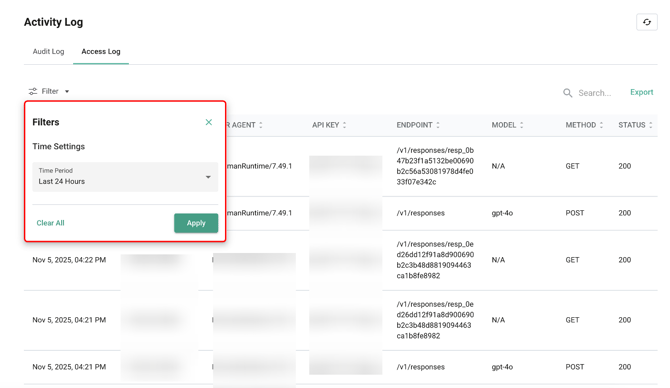
Access logs can also be exported to CSV and JSON files. The logs can also be filtered based on time duration.